Figure 1
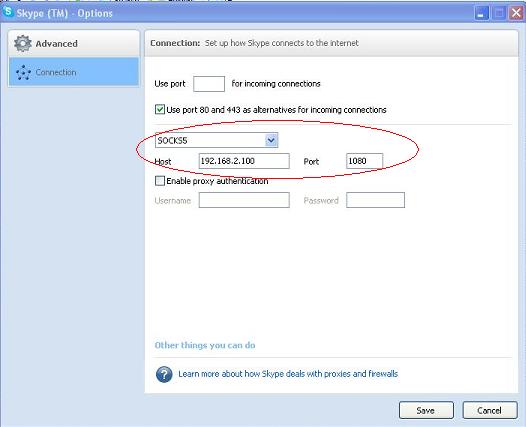
This tutorial will guide you to configure client computers to access internet via WFilter proxy server. For all below examples, we suppose the proxy server ip address is "192.168.2.100".
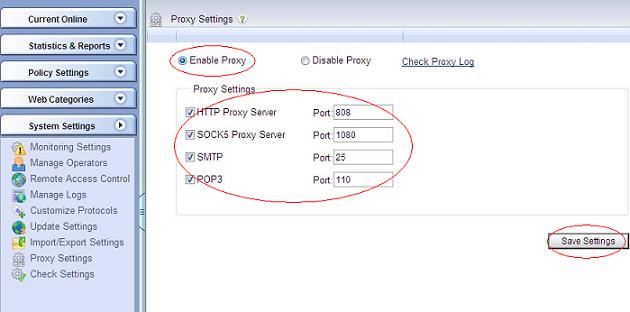
Choose "Enable Proxy" in "System Settings"->"Proxy Settings", as Figure 1:
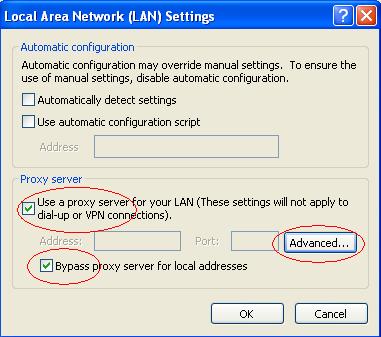
To visit websites via HTTP proxy, you need to setup proxy settings in your browser. Let's take internet explorer as an example, you need to enable "Use a proxy server for your LAN" in "Tools"->"Internet Options"->"Connections"->"LAN Settings". As in Figure 2:
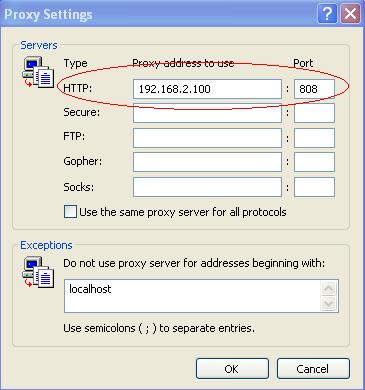
And input the proxy server ip and port in "Advanced"->"Proxy Settings". As in Figure 3:
MSN(Live) Messenger will use the proxy settings of internet explorer.
Below figures shows the steps to enable SOCK5 proxy of skype messenger:
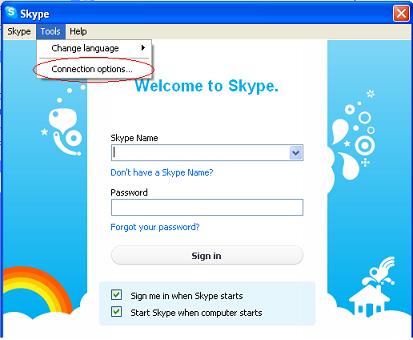
Some email clients can support HTTP proxy and SOCK5 proxy. Below figures shows the steps to enable proxy settings in thunderbird:
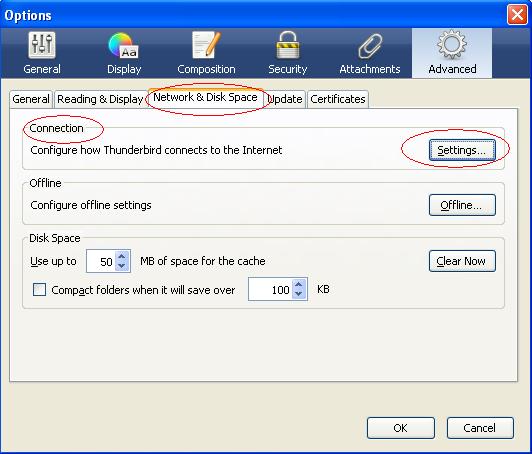
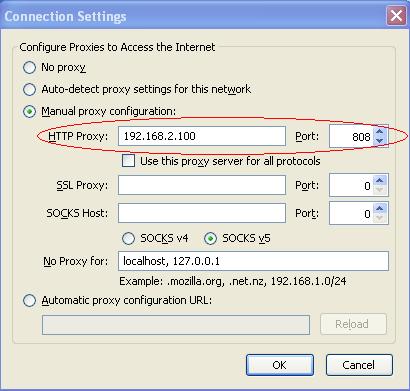
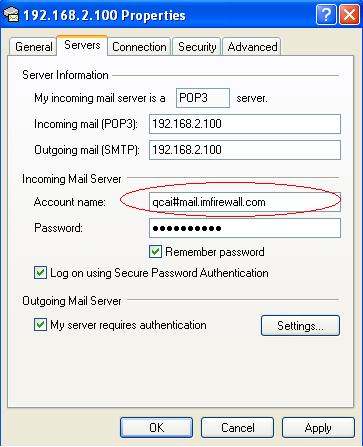
Because some email client programs does not support proxy(eg: outlook express), we provide the "POP3 Proxy Server" and the "SMTP Proxy Server". Below steps will guide you to access POP3/SMTP proxy service in outlook express.
In "Servers" properties, the "Incoming mail(POP3)" and "Outgoing mail(SMTP)" shall both be the proxy server. And the "Account name" format should be "username#real_pop3_server".
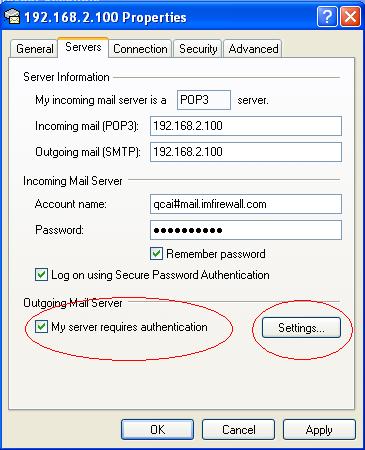
For SMTP proxy, "My server requires authentication" shall always be enabled.
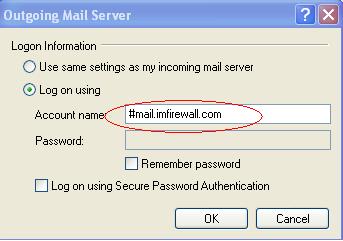
The "Account name" format of "Logon Information" shall be "username#real_smtp_server".
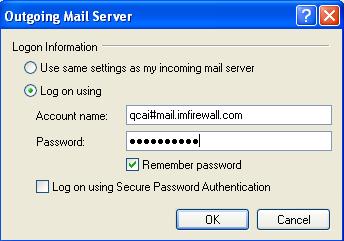
If your SMTP server does not need authentication, the "Account name" shall be "#real_smtp_server" with any password.