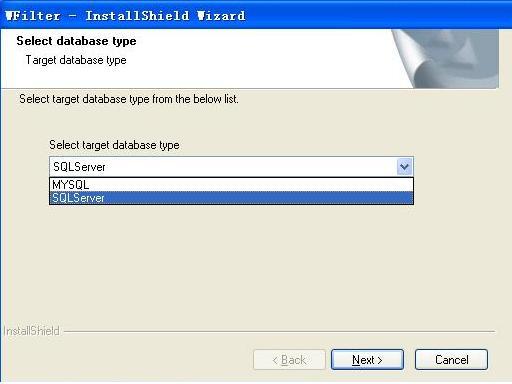
Figure 2.1
WFilter supports database and file-based data storage types. There is no feature difference between the "database version" and "file-based version", except for data storage.
With the database version, you can use certain database tools to backup monitored data or customize sql querys. However, to install WFilter database version, you need to have an available MSSQL or MYSQL database server, while the file-based version is easier to setup.
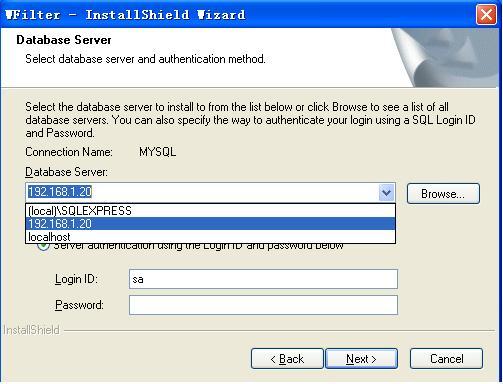
Both SQL Server and MySQL database are supported. You can choose your target database server during WFilter installation. During installation, WFilter will create database and related tables.
SQL Server 2000, SQL Server 2005 and later versions.
As in Figure 2.1, select "SQL Server" as the target database type.
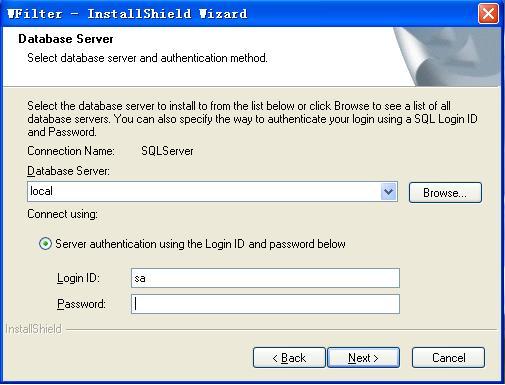
As in Figure 2.2, input database Login ID and password. (This database user shall have create database/table priviledge.)
MySQL server 5.0, and later mysql server versions.
MySQL ODBC Driver 3.51, and later odbc versions.
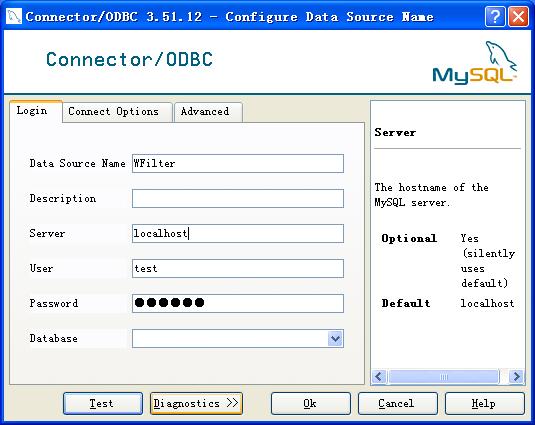
First, you need to create an ODBC data source in "Control Panel" -> "Administrative Tools" -> "Data Sources(ODBC)".
Figure 3.1 provides a example for modifying ODBC. Modify "Server" to the computer name or IP of the database server.
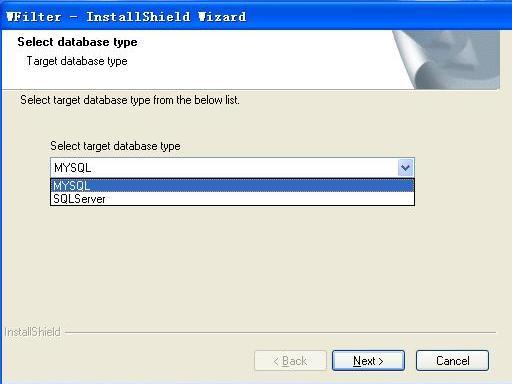
As in Figure 3.2, select MySQL as the target database type.
As in Figure 3.3, input the server ip, and mysql Login ID and Password.
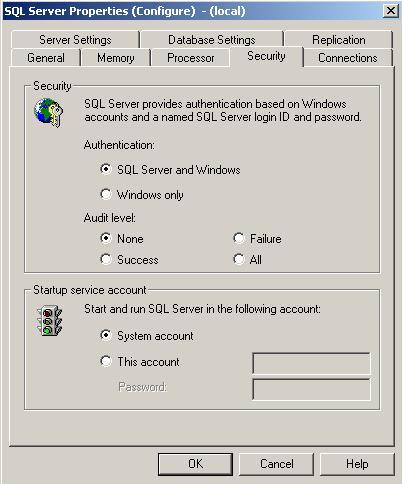
As in Figure 4.1, open the "Enterprise Manager", right click the database server name and click "Properties", then set authentication to "SQL Server and Windows" in the "Security" tab.
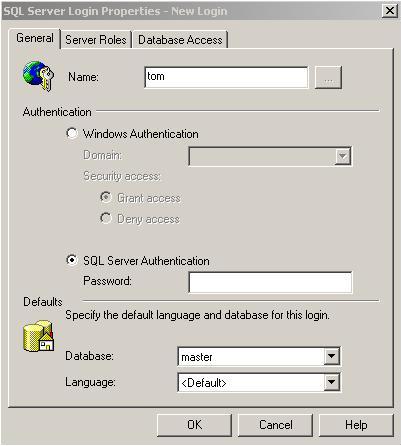
As in Figure 4.2, open the "Security" folder, right click "Logins"->"New Login..". Here you can set the login name and password.
1. Check whether the server firewall allow incoming connections on port 1433.
2. If your database version is SQL Server 2000, follow these steps:
1) Open "SQL Server Network Utility", check whether "TCP/IP" is in "Enabled protocols". If not, you need to add it.
2) Select "TCP/IP", click "Properties", check whether the default port is 1433. You can use telnet to check whether port 1433 is listening.
3) Generally speaking, if you have not installed the SP4 patch for SQL Server 2000, port 1433 is not available. You can check whether the patch is installed by inputing "select @@version" in the "Query Analyzer". If version is older than 8.00.2039, the patch has not been installed. You can download it from "http://download.microsoft.com/download/1/b/d/1bdf5b78-584e-4de0-b36f-c44e06b0d2a3/SQL2000-KB884525-SP4-x86-ENU.EXE".
3. If your database version is SQL Server 2005, do as below:
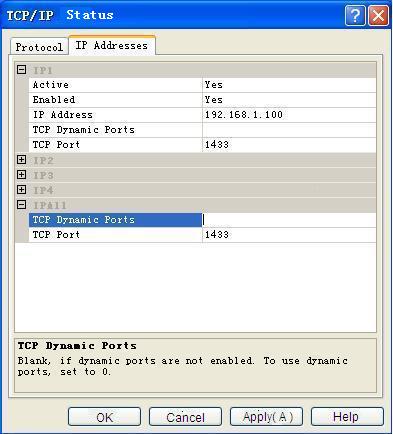
Open "SQL Server Configuration Manager", double click "SQL Server 2005 Network Configuration" and select "Protocols for SQLEXPRESS", make sure "TCP/IP" status is enabled. And then right click "TCP/IP" and select "Properties", and select "IP Addresses". As in Figure 4.3, modify "IP1" and "IPALL".
This is because you have not added MySQL server in windows ODBC, please add it as described in 3.2.